Paperless Datasheet
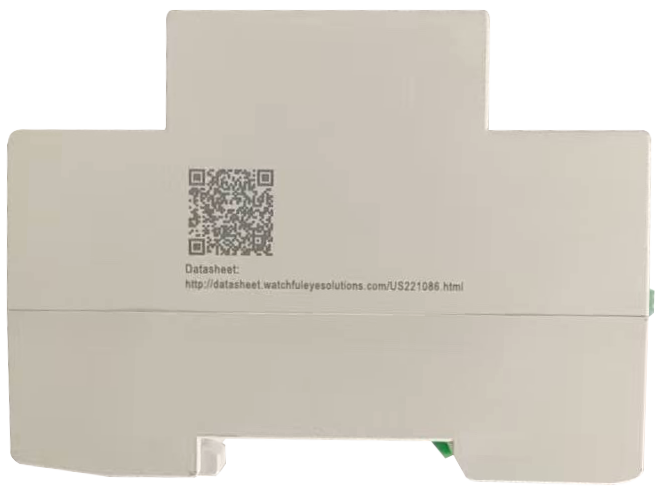
Going green and protecting environment is manufacturers' responsibility. Each WatchfulEyE product has a link of downloading data sheet on its enclosure:
http://datasheet.watchfuleyesolutions.com/US221086.html

Model & Ordering Code

Model Ordering Code Rating Voltage Remote Monitoring Modbus
WTH-CS/F-E220 US221086 100-240VAC NO/NC Yes


www.watchfuleyesolutions.com - Page 01 - Back to TOP -

Application Range
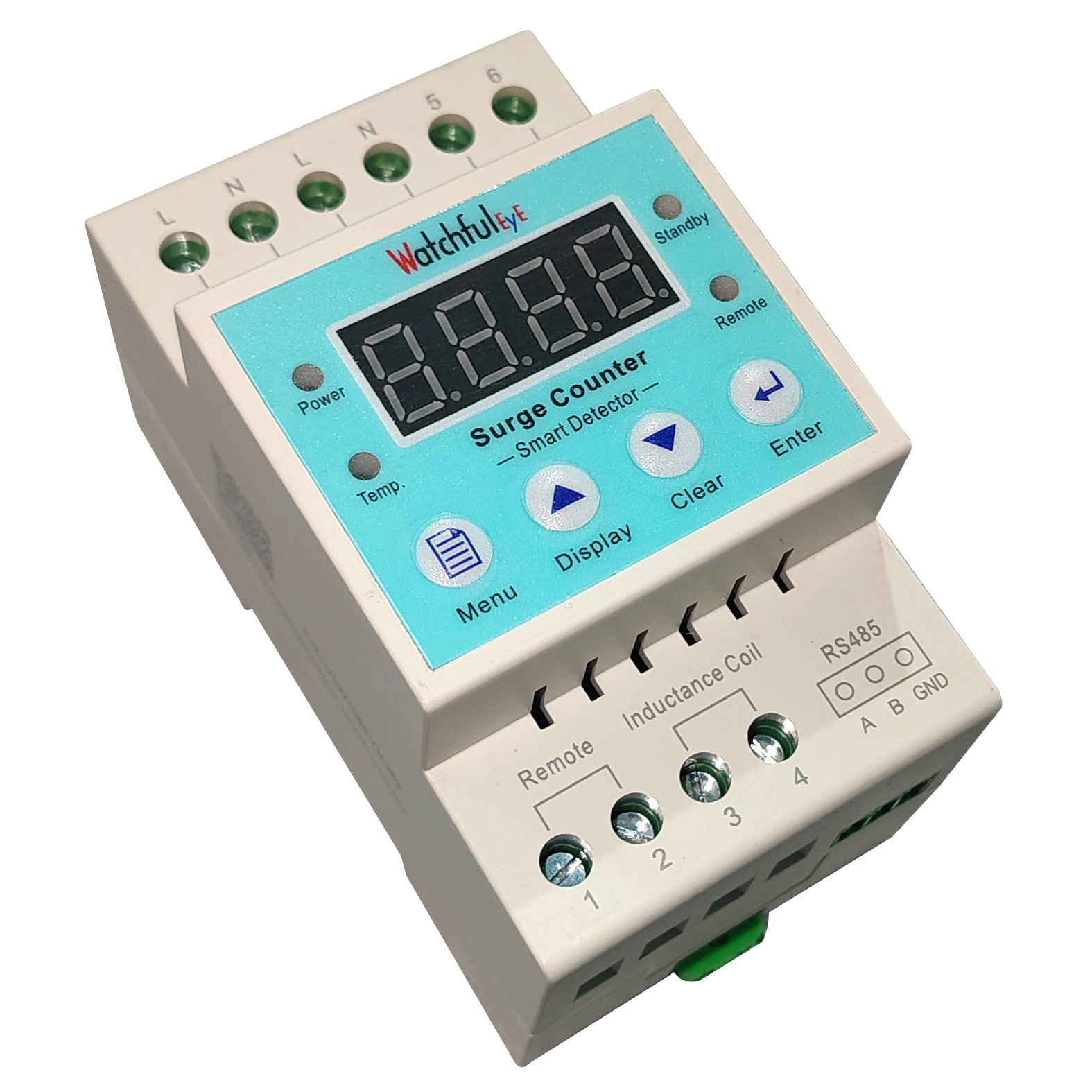
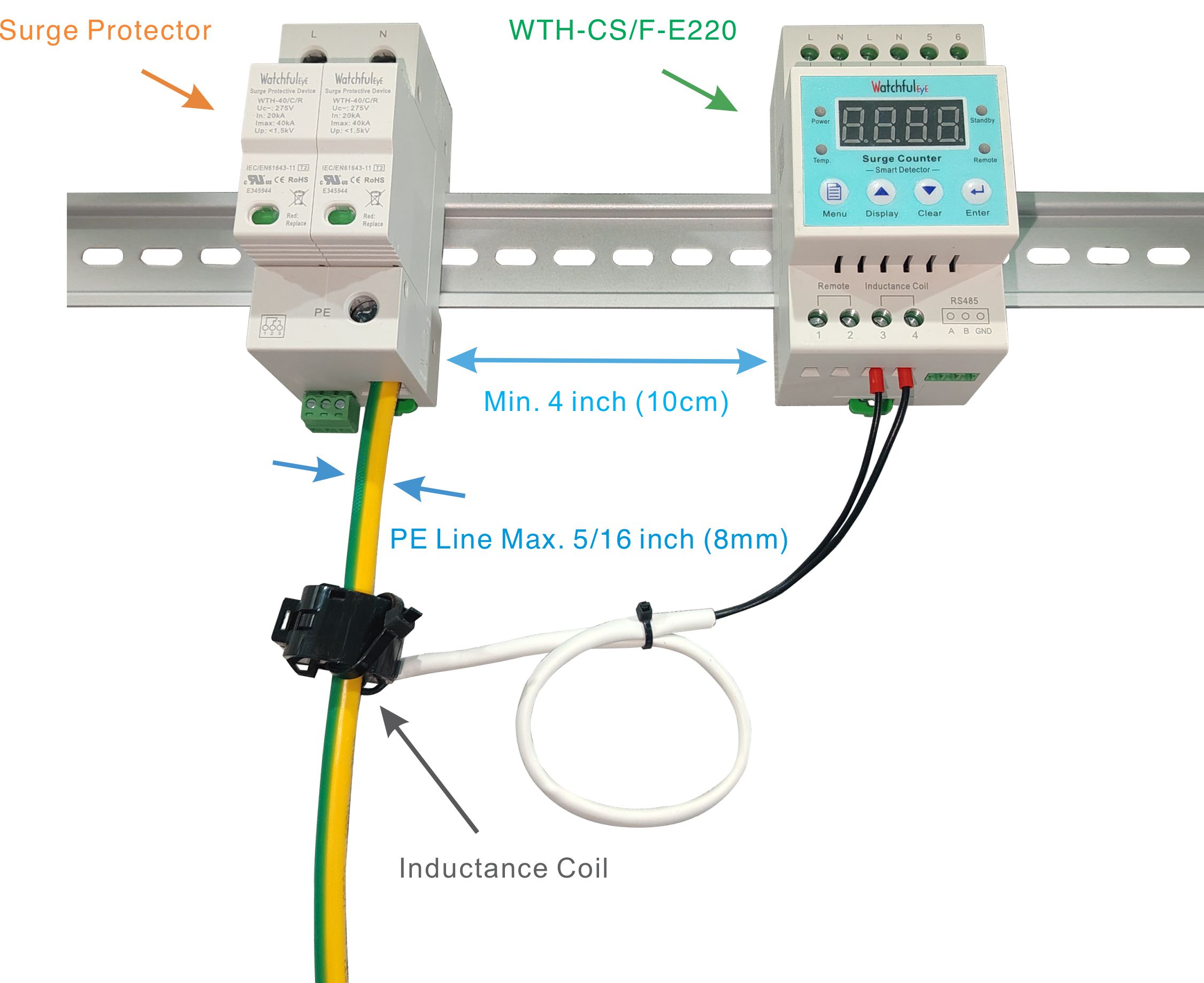
WTH-CS/F-E220 series surge counter is used to test and record the discharge frequency of the surge protector ( record the surge current rush frequency beyond certain degree) and SPD remote contacts monitoring, which is convenient for users to do statistics and analysis on the surge situation in specific area.
It can be used accompanying with various surge protectors or used as the supported product of the surge protective box.
In accordance with: IEC 62561-6:2018 --- Lightning protection system components (LPSC) - Part 6: Requirements for lightning strike counters (LSC)

Main Features
1. Large counting range, wide application range
2. Sensitive response, precision counting, no mis-operation
3. 3-bit digital display, easy and clear to recognize
4. No data loss in case of power outages
5. DIN-rail installation, convenient for installation and replacement
6. Adopting single-chip technology, advanced and reliable structure
WTH-CS/F-E220 Technical Data
Effective action current >0.5kA
Max. discharge current (8/20µs) 80kA
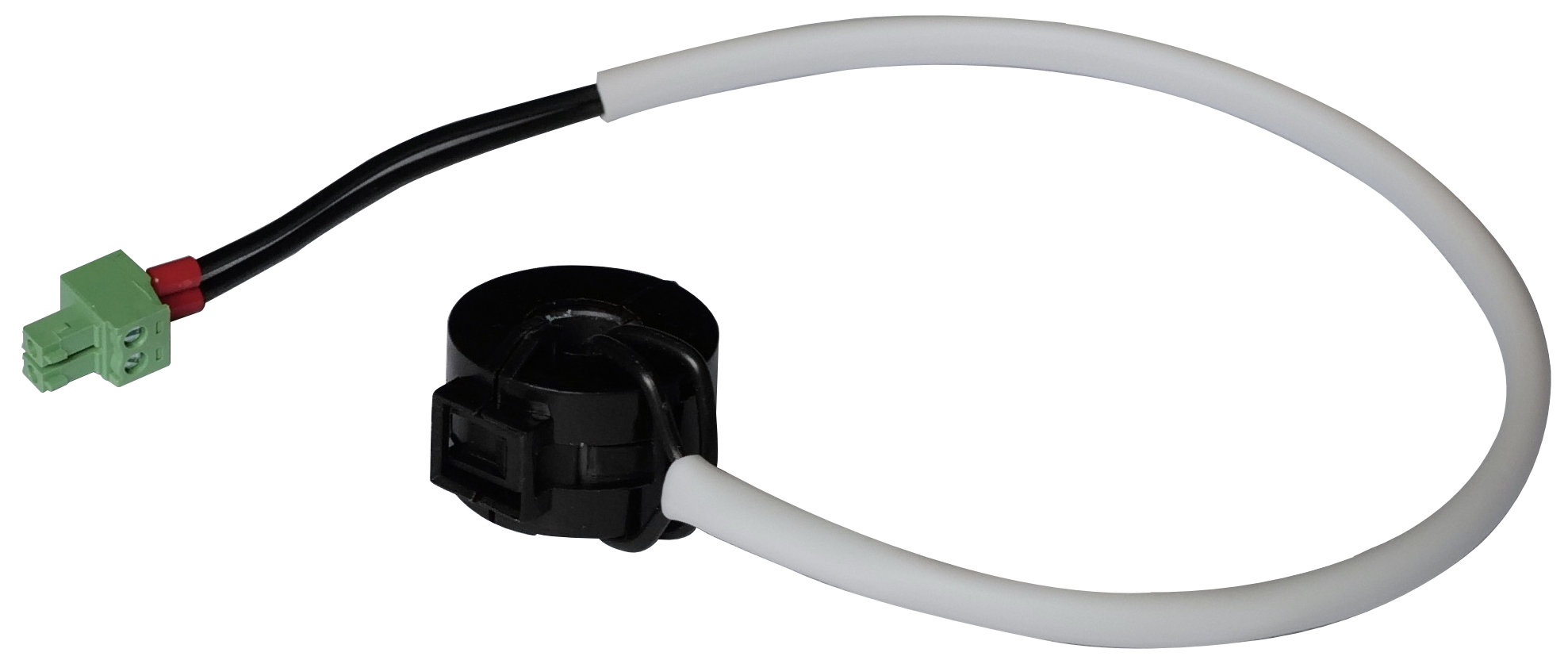
Sampling mode Inductance coil
Counting number 0~9999
Protection Rating (IP Code) IP 20
Temperature Range - 40° to 176°F (-40° to 80°C)
Relative Humidity 0% to 95% noncondensing
Maximum Operating Altitude 10,000 feet (3000m)
DIN Rail EN60715 35mm top-hat rail
Housing Material Thermoplastic (UL94 V-0)

Installation Instruction
The surge protective devices smart detector shall be employed in a Listed enclosure or closet that is only accessible to technicians or service personnels.

Certificates of Products

IEC 61643-11

IEC 62561-6


www.watchfuleyesolutions.com - Page 02 - Back to TOP -
.

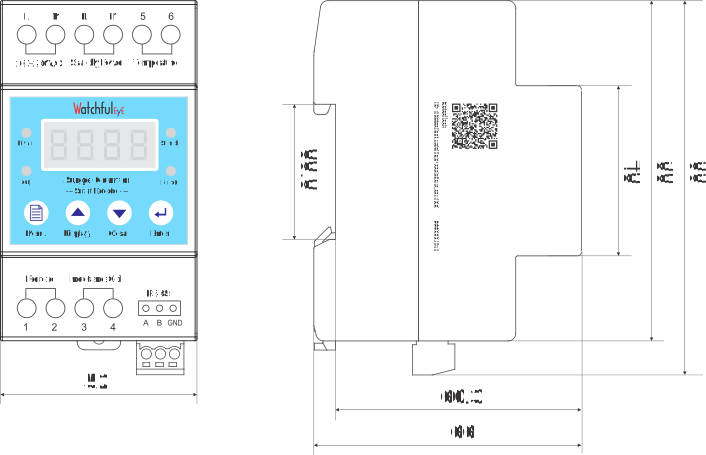
WTH-CS/F-E220 Series Dimensions

Detector Status Description


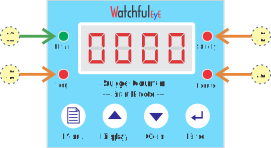
1. Power (green): Power indicator, when the power is turned on, the indicator light is on
2. Standby: Standby power state warning
3. Temp.: Temperature warning
4. Remote: Surge protector state remote warning

www.watchfuleyesolutions.com - Page 03 - Back to TOP -

Instructions for use
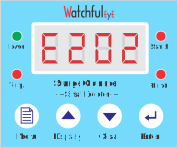
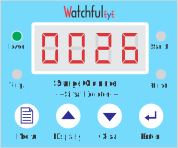
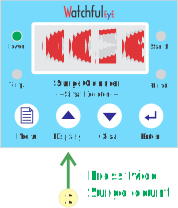
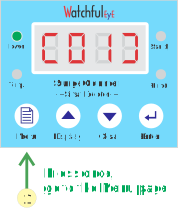
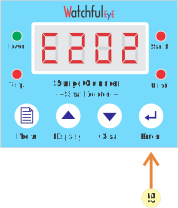
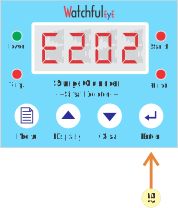
1. Upon connecting the power supply, the green power indicator light and the other three red alarm LED lights illuminate. The LED screen displays the version number (e.g., E202). After three seconds, it displays the number of surge count. If a fault signal is detected, the red fault indicator light illuminates.


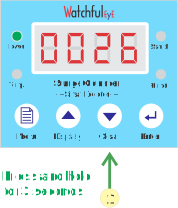
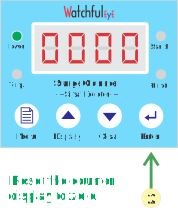
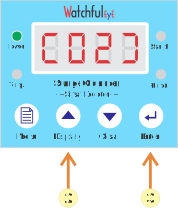
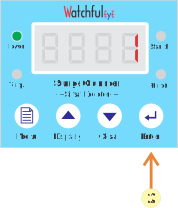
2. Clear surge count to zero: press and hold [Clear] button for 3 seconds, until the digital tube flashes, than press [Enter] button to confirm and reset the counter display to zero.


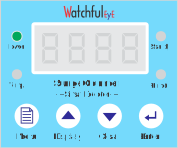
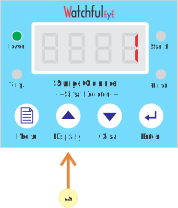
3. [Display] button: press and hold the [Display] button until the digital tube turns off, press any key to restore the digital tube to constant display;


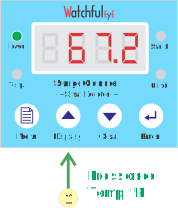
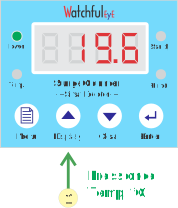
Press the [Display] button briefly to display surge count or current temperature;

www.watchfuleyesolutions.com - Page 04 - Back to TOP -

Menu
[01]: Modus ID
[02]: Temperature alarm threshold
[03]: Standby power supply state monitoring: [1] On, [0] Off
[04]: 0: NO normal, NC alarm; 1: NC normal, NO alarm
[05]: 0: Celsius (°C), 1: Fahrenheit (°F)

Setup in the Menu
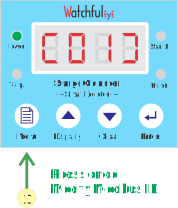
1. Press the [Menu] button
2. Press the [Up] or [Down] button to navigate to the desired menu option.
3. Press the [Enter] button, select this item to modify it.
4. Press the [Up] or [Down] button, change it to the desired value.
5. Press the [Enter] button, save this setting, then restart the device to display the version number.


Modbus ID
1. Press the [Menu] button, display [01]
2. Press the [Enter] button, select [Modbus ID] to modify it.
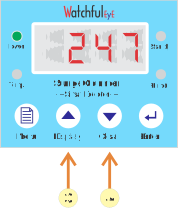
3. Press the [Up] or [Down] button, change it to the ID.
4. Press and hold [Up] or [Down] button to quickly modify.
5. Press the [Enter] button, save this setting, then restart the device to display the version number, the Modbus ID address is now active.


www.watchfuleyesolutions.com - Page 05 - Back to TOP -
.

Fixation and Installation
35mm DIN-rail mounted fixation method, convenient for installation in a variety of occasions such as distribution boxes, cabinets and panels.

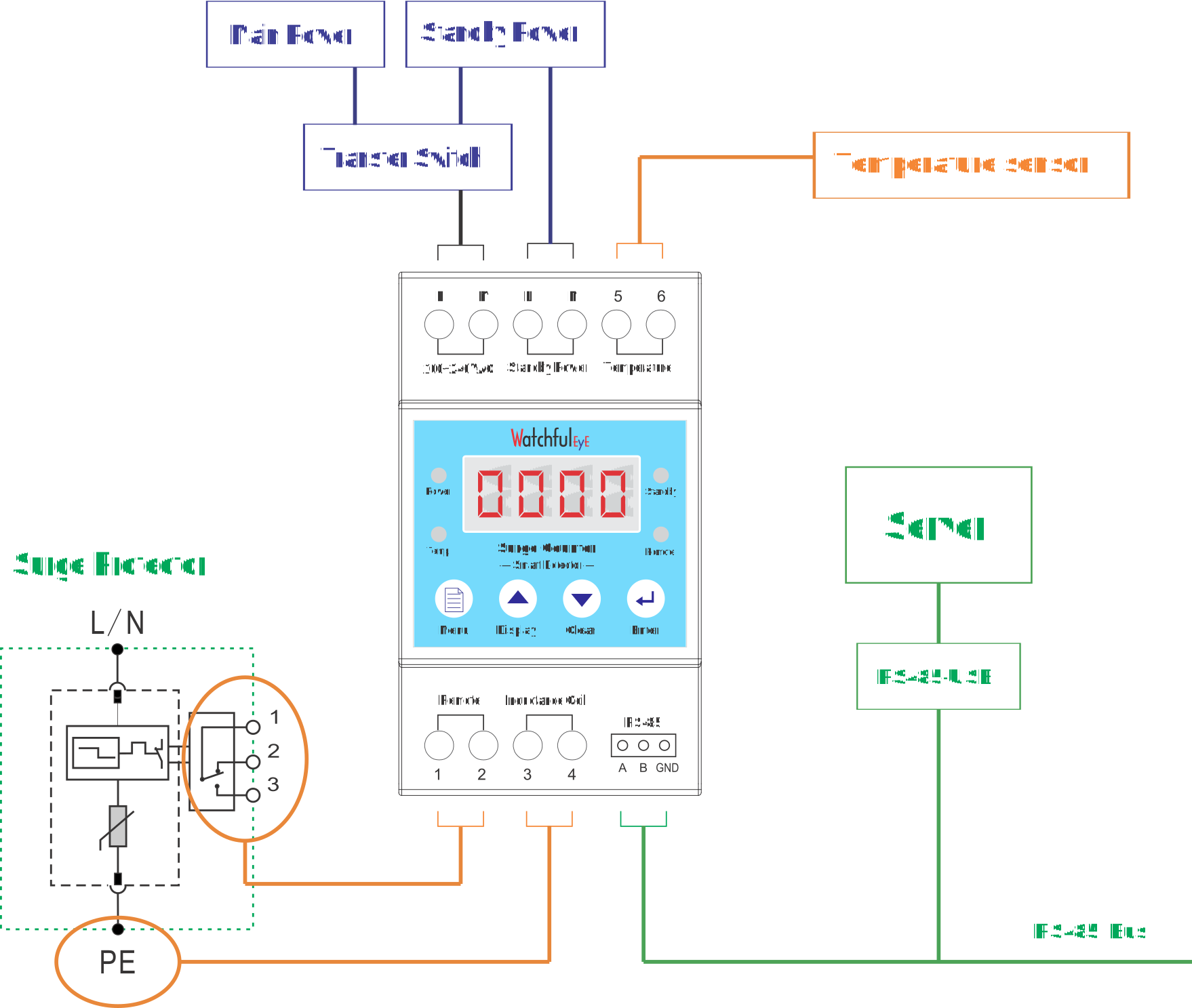
System Connection Diagram


www.watchfuleyesolutions.com - Page 06 - Back to TOP -
.

Inductance Coil Connection Diagram

www.watchfuleyesolutions.com - Page 07 - Back to TOP -
.

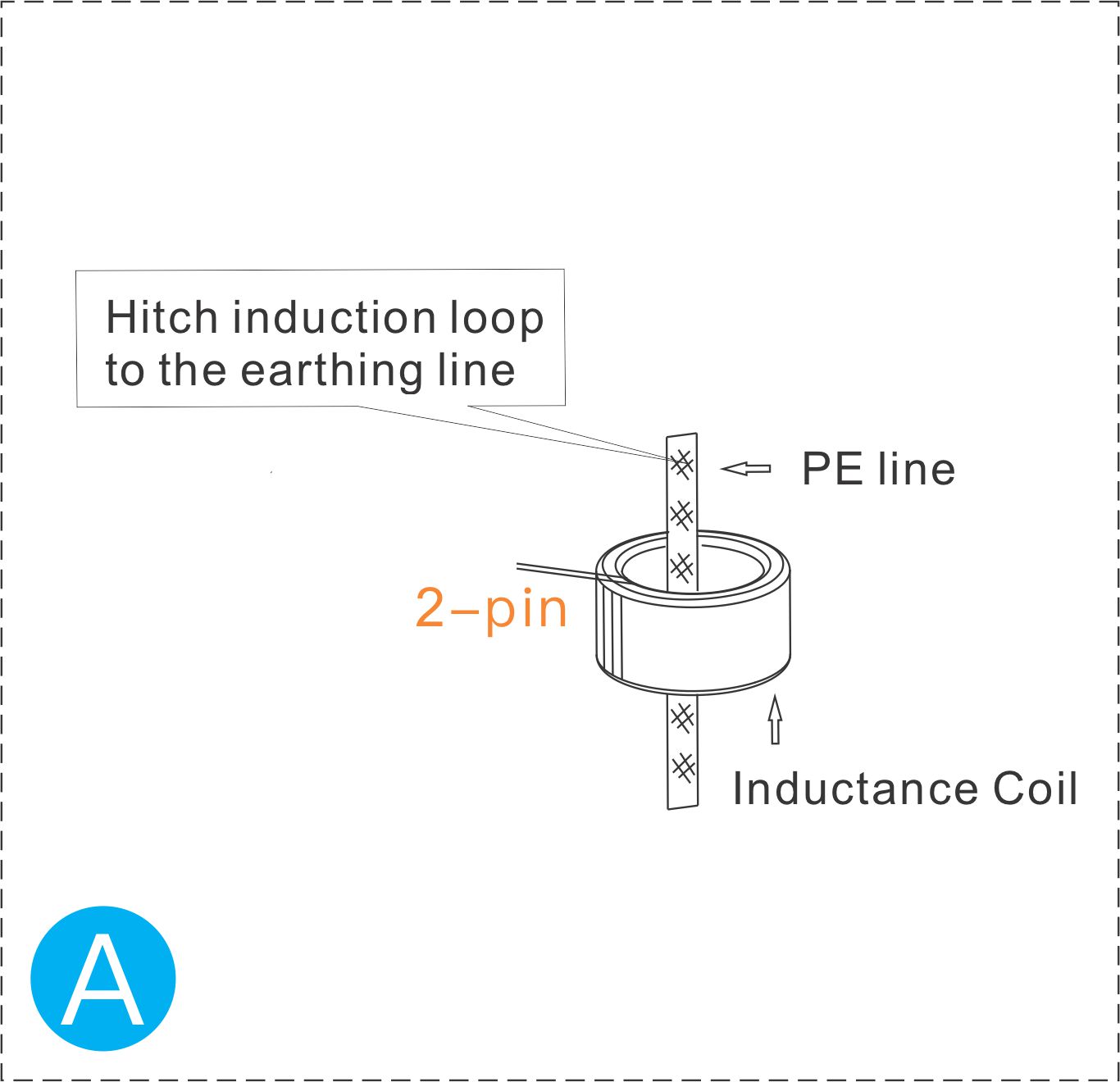
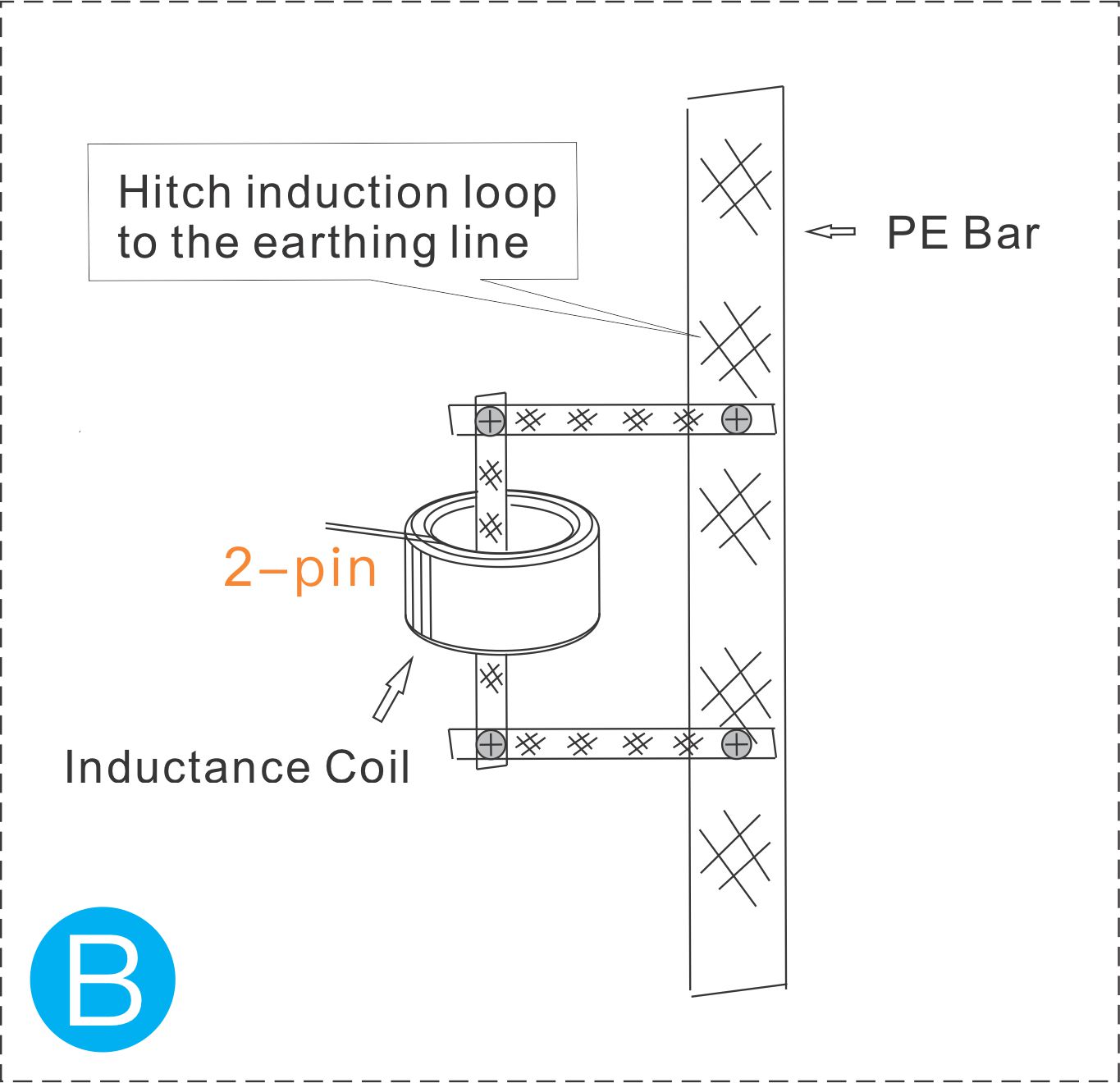
Inductance Coil Connection Diagram


A: If the grounding wire can penetrate the magnetic ring, and Imax of the surge protector is less than 80kA
B: If the grounding wire cannot penetrate the magnetic ring, or Imax of the surge protector is greater than 80kA, use the shunt connection method

www.watchfuleyesolutions.com - Page 08 - Back to TOP -
.

Communication Protocol: Modbus RTU
Baud rate: 19200 (Customized: 4800/9600/19200/38400);
Data bits: 8 bit;
Parity Check: none;
Stop bit: 1 bit

Function code:
03H: Read one or more holding registers;
06H: Write a single holding register

Register Data Table (Function code 03H, Data types: Unsigned 2 bytes)
Address Description Read/Write Data Range Default value Memo
0000H Version number R / e.g., 202
0001H Restart command R/W / 0 Write 3333: Device restart;
Write 6666: Restore to factory settings
0002H Modbus address R/W 1~247 1 The changes will take effect after restarting
0003H Modbus baud R/W 4800,9600,
19200,38400
19200 The changes will take effect after restarting
0004H Modbus validation R/W 0/1/2 0 The changes will take effect after restarting
0: No verification;
1: Odd number verification;
2: Even number verification
0009H Warning signs R / 0x0000: No alarm
0x0001: Standby power alarm
0x0002: Temperature alarm
0x0004: Remote alarm
0x0008: Surge count alarm, the alarm will be automatically cleared after 5 minutes

www.watchfuleyesolutions.com - 09 - Back to TOP -
.
Address Description Read/Write Data Range Default value Memo
0008H Surge count R/W 0~9999 0
0007H Remote state R 0/65535 / 0: Normal;
65535: Fault
0012H Remote NO/NC R/W 0/1 0 0: NO normal, NC alarm;
1: NC normal, NO alarm
0006H Temperature R 0~1000 / multiple: 0.1x
0011H Warning temperature value R/W 0~2000 600 60°C/140°F multiple: 0.1x
0013H Temperature units R/W 0/1 0 0: Celsius °C;
1: Fahrenheit °F
0014H Temperature calibration value R/W 500-2000 1000 Calibrate and adjust the temperature value; increasing the value will result in a higher temperature reading.
0005H Standby power state R 0/65535 / 0: Standby power unavailable
65535: Standby power ready
0010H Standby power status monitoring R/W 0/1 0 0: Turn off monitoring;
1: Monitoring

www.watchfuleyesolutions.com - 10 - Back to TOP -

FAQ & Help (1/2)
1. What should I do if I can't find the paper manual in the product packaging?
Watchful Eye products is committed to going green with paperless data sheets. On the left side of each product enclosure is an engraved link with URL for downloading paperless data sheet and QR code of the website. If you need the paper data sheet, you can open the link and print the data sheet by yourself.

2. Some questions about Product Serial Number
a. Each product has a unique product serial number, and the barcode is laser engraved on the side of the product when it leaves the factory, for example: S.N.: US221086-7AG002
b. This serial number is a certificate for tracking product warranty and service

3. Characteristics of wide voltage, rated working voltage (Un): What are the advantages of 100-240VAC?
If you don't know what kind of power network the system is, it is commonly used in systems below 100-240VAC, such as: 110V, 120V, 220V, 230V, etc., to avoid confusion about your selection.

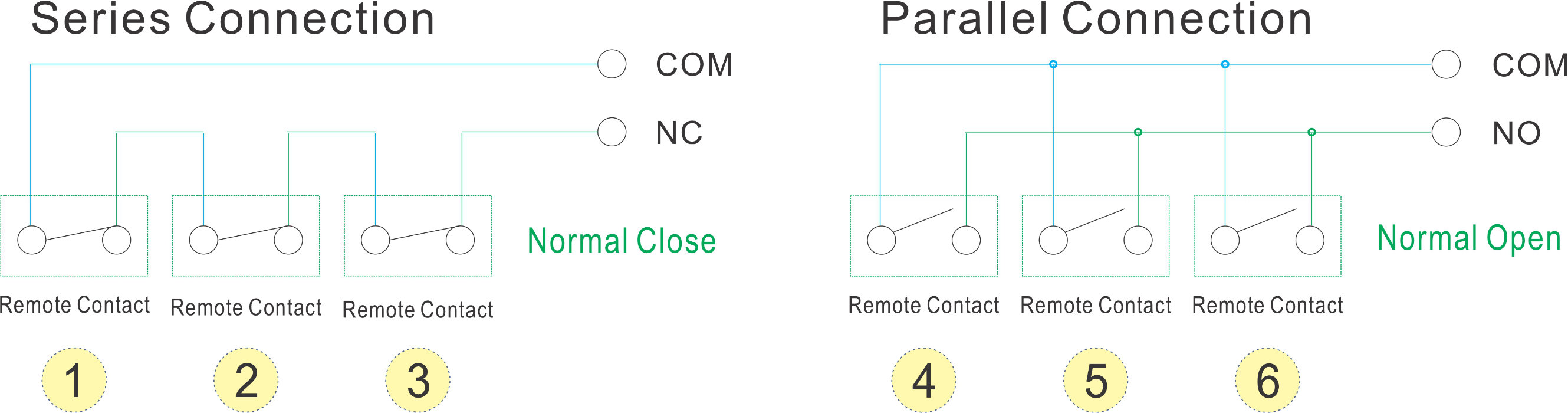
4. Can you describe some application skills about NO/NC (normally open/normally closed) interface?
a. The remote signal of the lightning protection device is recommended to be connected to the COM-NC (normally closed) interface, because when the lightning protection device is not connected, the normally open interface defaults to the normal equipment
b. NO (Normally Open) and NC (Normally Closed) interfaces can be extended to alarm equipment for digital signal input, such as access control, glass broken, water immersion alarm, temperature, humidity, smoke, etc
c. Normally open interface, when there are more digital alarm devices connected, it can be connected to the COM-NO (normally open) interface in parallel, when any device alarms, it will become a COM-NC (normally closed) signal

www.watchfuleyesolutions.com - Page 11 - Back to TOP -

FAQ & Help (2/2)
5. How do I restore this surge counter to its factory settings?
Press the [Display] button to display the temperature or surge count. Press and hold the [MENU] and [ENTER] buttons simultaneously for 3 seconds to restore the device to its factory settings.

6. I have question for Surge Counter how the minimum of Input Current for testing?
Surge count test of minimum input current:
It is tested in the factory with a 1.2/50μs + 8/20μs combination wave generator
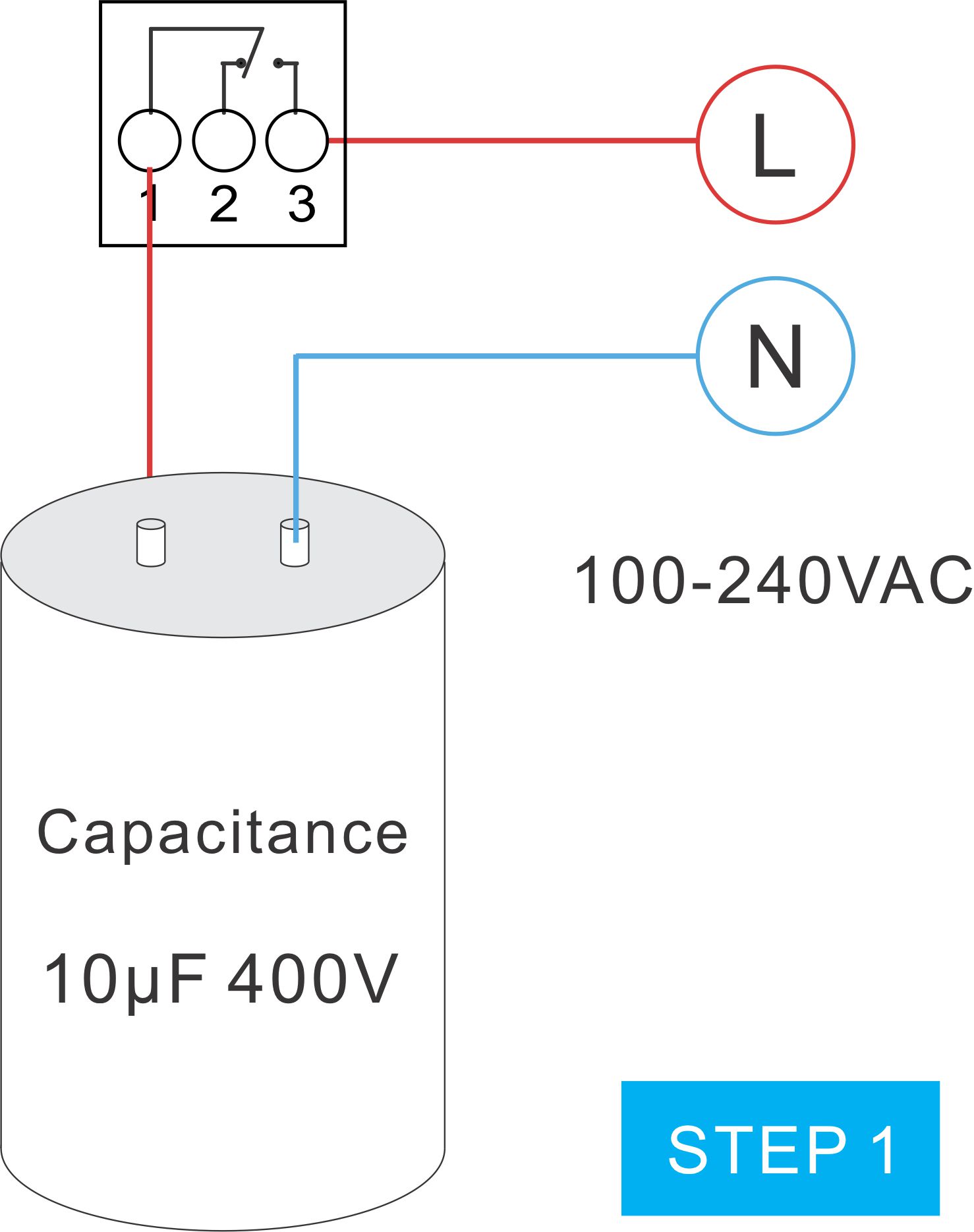
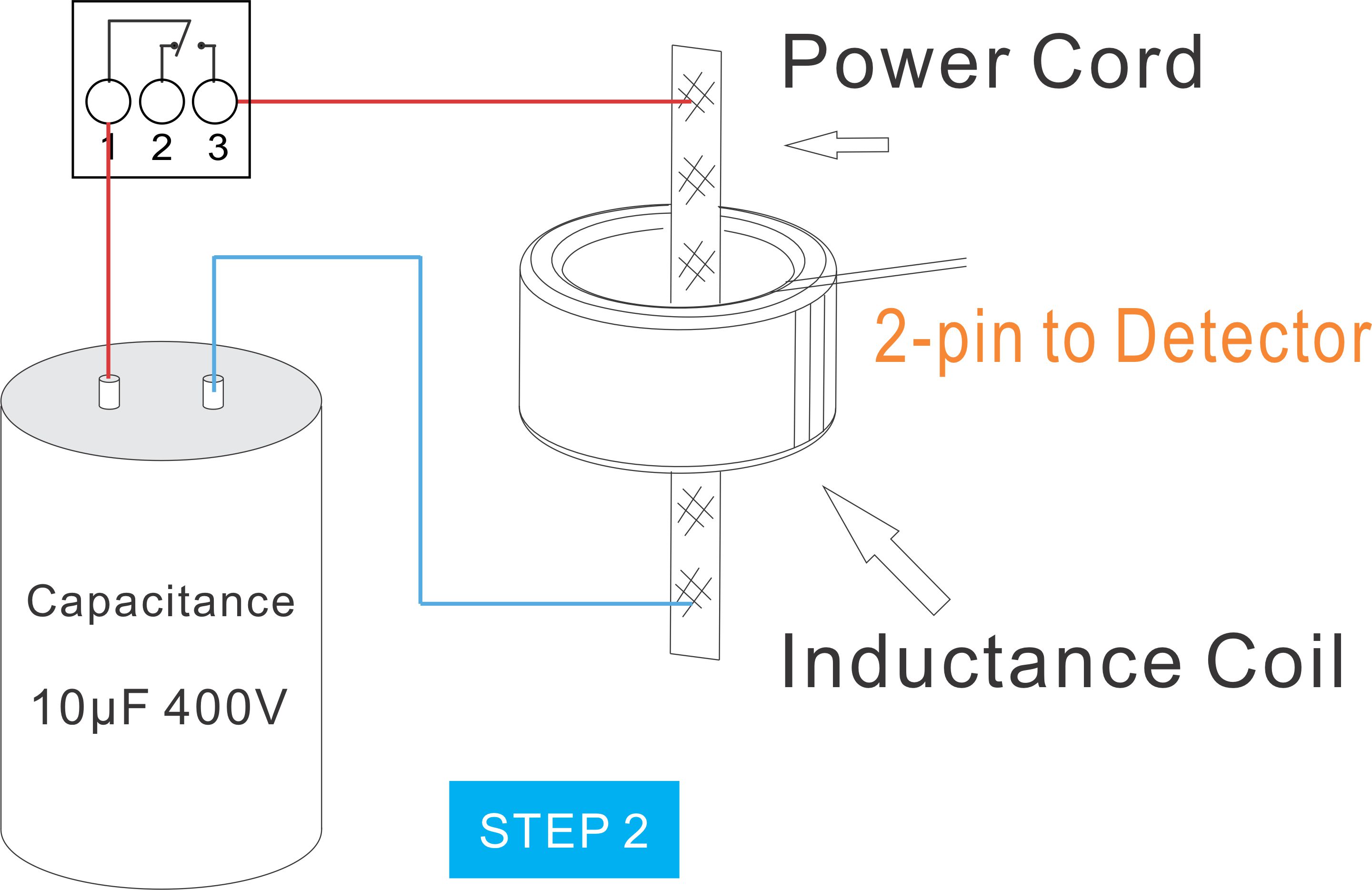
If it is only to test the digital display of the surge count, a 10μF 400V capacitor can be used, refer to the following steps
Note: This method cannot simulate 8/20μs surge waveform.


Step 1: Turn on the power switch to charge the capacitor for 1 second
Step 2: Turn on the power switch to make the capacitor short-circuit discharge


www.watchfuleyesolutions.com - Page 12 - Back to TOP -

Download WatchfulEyE Official App
To learn about more products and updates from company, please scan QR code to download the official App:

After-sale Services
Watchful Eye provides a 5-year quality warranty globally.


I have a question

www.watchfuleyesolutions.com - Page 13 - Back to TOP -